How to Automate the Adhan in Your Mosque (2026 Guide)
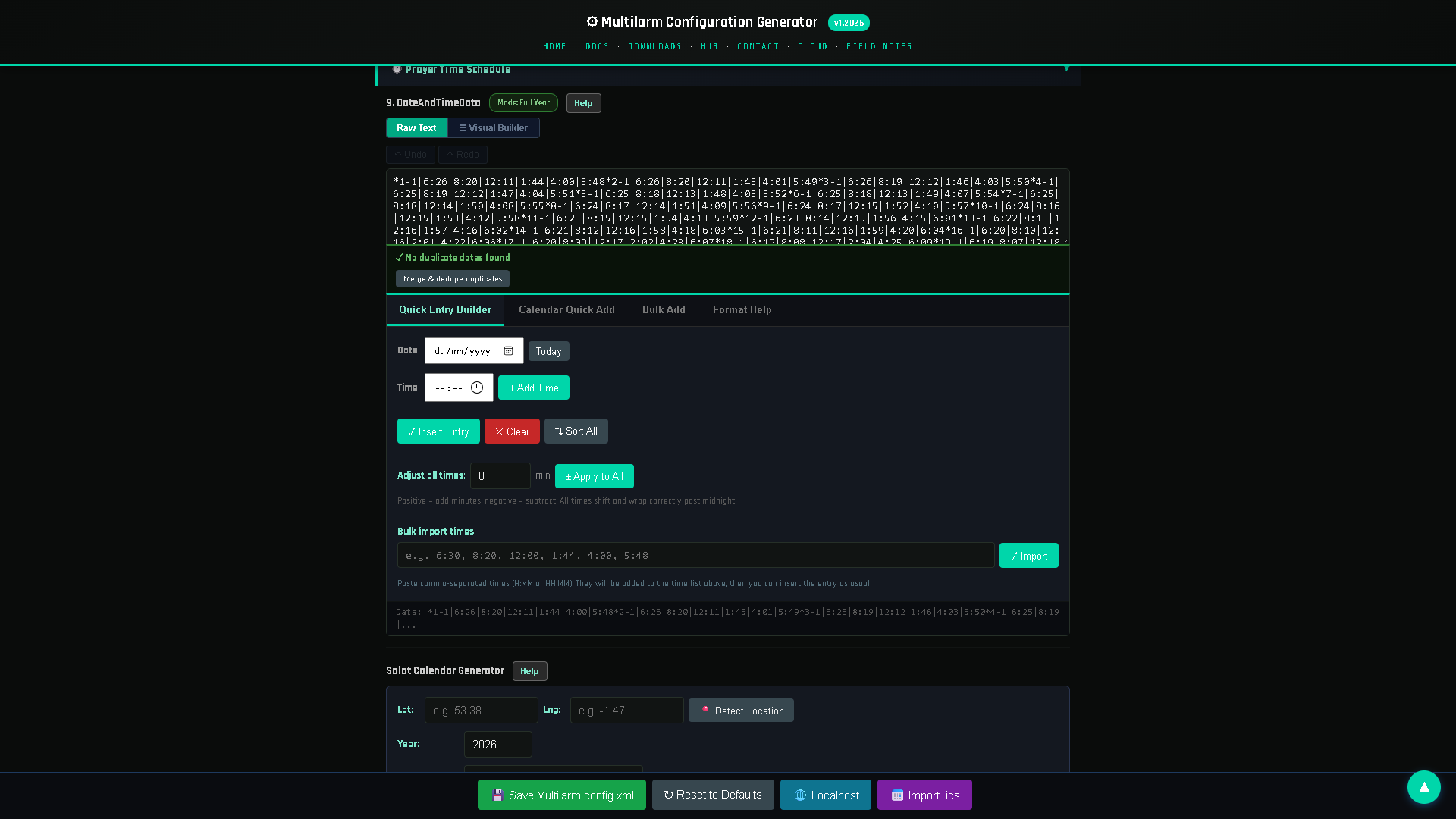
Automating the adhan means your masjid plays the call to prayer at the correct time every day, without anyone needing to be present. A small controller calculates prayer times for your location, triggers your chosen adhan recording through your existing speakers, and can also handle iqamah timers, announcements and emergency alerts. This guide explains how it works and how to set it up.
Why mosques automate the adhan
Relying on a person to play the adhan five times a day is fragile: someone has to be there, on time, every single day of the year, including Fajr. Automation solves this by:
- Accuracy — prayer times are calculated for your exact location and update automatically as they shift through the year (and during Ramadan).
- Reliability — the adhan plays on schedule even when the masjid is quiet or short-staffed.
- Consistency — the same trusted adhan recording, at the correct volume, every time.
- More than the adhan — the same system can announce reminders, run iqamah countdowns and raise emergency alerts.
What you need to automate the adhan
Automating the adhan takes three things: a small always-on computer such as a Raspberry Pi, the amplifier and speakers the masjid already has, and software that calculates prayer times for your location and plays the adhan at each one. No new cabling and no internet connection are required.
- A prayer-time source — software that calculates accurate times for your location and calculation method (e.g. ISNA, MWL, Umm al-Qura, Egyptian).
- A controller — a small always-on device (a Raspberry Pi is a common, low-cost choice) that runs the schedule and triggers audio.
- Audio output — your existing masjid amplifier and speakers, connected to the controller.
A modern system like Multilarm combines all of this: it runs on a small low-cost device, calculates prayer times, plays your chosen adhan, and is controlled from your phone or a web dashboard.
Step-by-step: how to automate the adhan
The whole job is five steps: set the location and calculation method, connect the computer to the amplifier, load the adhan audio, set the iqamah offsets, and test each prayer once before relying on it. Each step is expanded below.
1. Choose your calculation method and location
Set your city/coordinates and the calculation method your community follows. Good systems let you fine- tune individual prayer times and apply seasonal adjustments.
2. Select your adhan recording(s)
Choose the adhan audio your community prefers. You can often set a different, shorter adhan for Fajr, or different recordings per prayer.
3. Connect the controller to your sound system
Connect the controller's audio output to your amplifier. The adhan then plays through the same speakers you already use for the khutbah.
4. Set iqamah timers
Configure the gap between adhan and iqamah for each prayer. The system can display or announce a countdown so the congregation knows how long until the jamaʿah.
5. Add announcements (optional)
Modern systems include text-to-speech, so you can schedule spoken English announcements — reminders about events, janazah notices, or car-park messages — without recording anything. (Note: the adhan itself is a pre-recorded human recitation; automated voice announcements are in English.)
6. Test and set volumes
Run a test for each prayer, set day/night volumes (quieter Fajr), and confirm the schedule for the week ahead.
Do you need special hardware?
No dedicated proprietary hardware is required. A system like Multilarm runs on a Raspberry Pi and connects to the amplifier you already own. That keeps the cost low and means no vendor lock-in for a single expensive box. You control everything remotely from a phone or browser.
What else can the same system do once the adhan is automated?
Once the controller already knows the prayer timetable, it can reuse it for everything else the masjid announces: iqamah countdowns on a display board, scheduled and spoken announcements, live push-to-talk from a phone, zoned output to separate halls, and emergency alerts. Specifically, it can:
- Run iqamah countdowns and prayer-time displays — see our guide to iqamah timers and prayer controllers.
- Play scheduled announcements to the whole masjid or specific zones.
- Raise emergency alerts (fire/evacuation), covered in our mosque emergency alert guide.
- Send alerts to committee phones and integrate with a display board.
See it working
The easiest way to understand automated adhan is to try a live system. 👉 See the free Multilarm live demo — no install required.
FAQ
Does automating the adhan replace the muezzin?
No — it plays a pre-recorded adhan on schedule. Many masjids still have someone give the live adhan when available and let automation cover the rest (especially Fajr and quiet times).
Will prayer times stay accurate all year?
Yes. The system recalculates daily for your location, so times shift correctly through the seasons and Ramadan without manual updates.
Can it play a different adhan for Fajr?
Yes. You can assign different adhan recordings per prayer, including a specific Fajr adhan.
Do I need to buy special speakers?
No. It connects to your existing masjid amplifier and speakers.
Is it hard to set up?
No coding is needed. You configure it from a web dashboard or phone app. Setup help and training are available.
Multilarm is a Raspberry-Pi-based announcement, prayer-time and emergency-alert system for mosques and facilities. Try the free live demo »