Iqamah Timers & Prayer-Time Controllers Explained
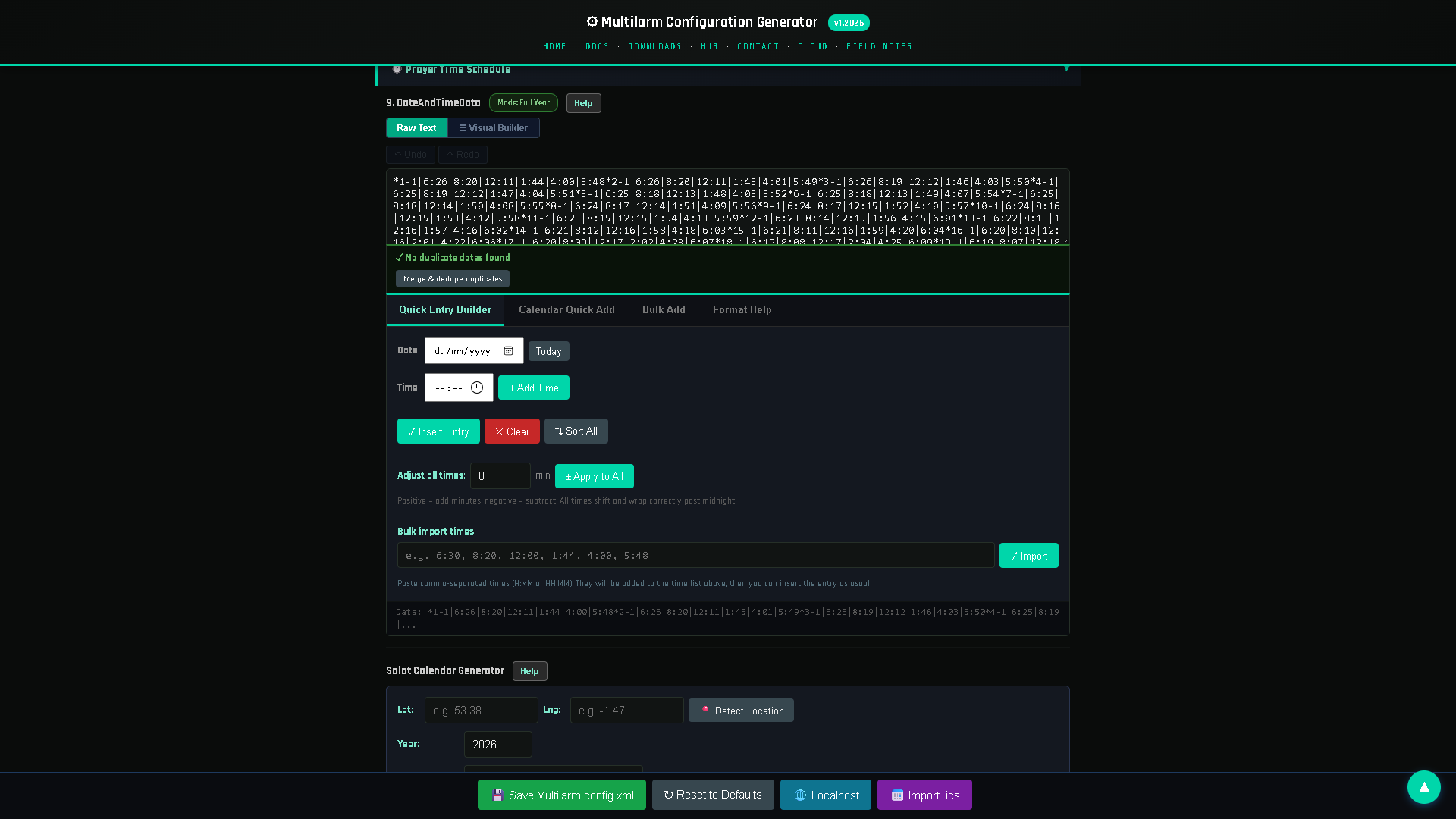
An iqamah timer counts down the gap between the adhan and the congregational prayer (jamaʿah), while a prayer-time controller is the device that calculates all your prayer times and drives the adhan, displays and announcements. Together they keep your masjid running to a precise, automatic schedule. This guide explains both and how to set them up.
What is an iqamah timer?
After the adhan, most masjids wait a set number of minutes before the iqamah and jamaʿah so people can arrive and pray sunnah. An iqamah timer:
- shows a countdown to the jamaʿah on a display board;
- can announce or chime when iqamah is near;
- uses a different gap per prayer (e.g. Fajr 20 min, Dhuhr 10 min), configurable by your committee.
What is a prayer-time controller?
A prayer-time controller is the device that holds the masjid's timetable and acts on it: it calculates or loads the five daily prayer times, plays the adhan at each one, counts down to iqamah, and drives any display board or announcement attached to the same schedule. In practice it is a small always-on computer — the "brain" of the installation. Specifically, it:
- Calculates prayer times for your location and calculation method (ISNA, MWL, Umm al-Qura, Egyptian, etc.).
- Triggers the adhan through your speakers at each time — see how to automate the adhan.
- Runs iqamah timers and pushes countdowns to your display board.
- Handles announcements and alerts across the same system.
A controller like Multilarm runs on a small low-cost device (a Raspberry Pi), so one affordable unit does all of the above and is managed from your phone or a web dashboard.
Should iqamah be a fixed time or a fixed offset?
Both are in common use. A fixed offset keeps iqamah a set number of minutes after the adhan, so it moves with the season; a fixed time holds iqamah at the same clock time regardless, which is easier for congregations to remember but needs revising through the year. Many masjids mix the two.
- Fixed offset — iqamah is always N minutes after the adhan (simple, changes daily with the adhan).
- Fixed clock time — iqamah is set to a specific clock time that the committee updates periodically (e.g. changed every fortnight). Good controllers support both, and let you set a weekly/monthly timetable in advance.
Step-by-step: setting up iqamah timers
Setting up iqamah timers takes five steps: set the location and calculation method, choose a fixed offset or a fixed time for each prayer, set jumuah separately, decide whether a countdown appears on a display, and check one full day before relying on it.
- Set your location and calculation method so the adhan times are correct.
- Choose fixed-offset or fixed-time iqamah for each prayer.
- Enter the gap or clock time per prayer (Fajr usually longest).
- Enable the countdown on your display board and, optionally, an audible cue.
- Set Jumuʿah separately (fixed khutbah time).
- Review the week ahead to confirm the schedule looks right.
How do you keep prayer times accurate all year?
Prayer times shift daily. A proper controller recalculates every day, so you never manually edit the timetable — including the big shifts around the solstices and during Ramadan. Look for:
- Automatic daily recalculation for your coordinates.
- Per-prayer fine-tuning (small manual adjustments some communities apply).
- Seasonal / high-latitude handling if your masjid is far north or south, where standard methods need special rules for Fajr and Isha.
What else can one prayer-time controller do?
Because the controller already knows the schedule, it can also drive announcements, zones and emergency alerts — see the mosque PA & announcement guide. That's the advantage of a single platform over separate boxes for the clock, the adhan and the PA.
See a controller in action
Try the free Multilarm live demo and set an iqamah countdown yourself.
FAQ
What's the difference between adhan time and iqamah time?
The adhan is the call to prayer at the start of the prayer window; the iqamah is the immediate call before the congregational prayer. The iqamah timer counts the gap between them.
Can each prayer have a different iqamah gap?
Yes — you set a separate gap (or fixed time) per prayer, including a longer gap for Fajr.
Do I have to update the timetable manually?
No. A software controller recalculates prayer times daily for your location automatically.
Does it handle high-latitude locations?
Good controllers include high-latitude rules for Fajr and Isha where the standard calculation breaks down in summer.
Can the iqamah countdown show on a screen?
Yes — it can display a live countdown on a prayer-time display board and optionally play an audible cue.
Multilarm is a Raspberry-Pi-based announcement, prayer-time and emergency-alert system for mosques and facilities. Try the free live demo »