What Is Multilarm? A Complete Overview
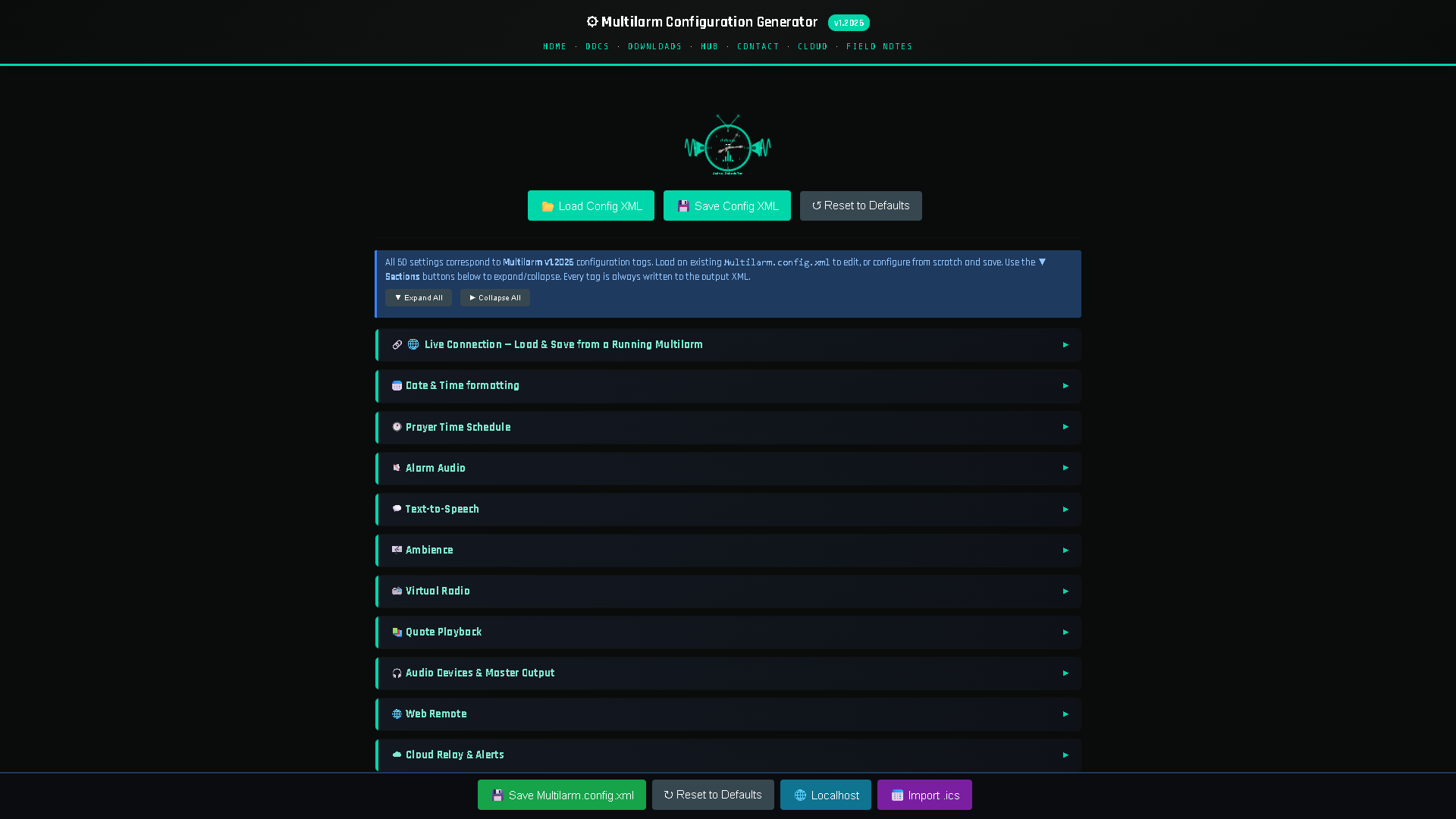
Multilarm is a software system that turns a low-cost always-on computer — typically a Raspberry Pi — into an announcement, prayer-time and emergency-alert controller for a building's existing audio system. It calculates prayer times, plays the adhan and scheduled or live announcements through the speakers you already own, drives a visual display, handles emergency scenarios, and is controlled remotely from a web dashboard or an Android app. It is used primarily by mosques, and secondarily as a general facility public-address (PA) and alerting platform for schools, community halls, care homes and small businesses.
This page is a neutral, factual overview: what Multilarm is, what it does, how it is built, and how it compares to the alternatives.
What is Multilarm?
Multilarm is a closed-source, self-hosted facility-audio and alerting platform. The core is a scheduling engine that runs on the user's own hardware and drives their existing amplifier and speakers; an optional cloud service at multilarm.com provides remote control without opening any ports on the building's network. It is offered free for personal use, with a paid licence for congregational and commercial deployment.
| Attribute | Detail |
|---|---|
| Category | Facility audio / announcement / emergency-alert software |
| Primary use case | Mosque adhan, iqamah, announcements and alerts |
| Secondary use case | General facility PA and emergency alerting |
| Runs on | Raspberry Pi (3/4/5/400/Zero 2 W), Windows or Linux PC |
| Audio output | Your existing amplifier and speakers (line-out or USB audio) |
| Control | Web dashboard, Android app, or on-device |
| Cloud | Optional — remote control via multilarm.com, no port-forwarding |
| Offline | Core scheduling and audio run fully offline |
| Licensing | Closed source; free for personal use, paid licence for institutions |
| Ships as | Installer, or a flashable Raspberry Pi OS image |
What Multilarm does
Prayer-time and adhan automation
Multilarm calculates prayer times for a location and calculation method (ISNA, MWL, Umm al-Qura, Egyptian and others), then plays a chosen adhan recording through the building's speakers on schedule, every day of the year, including Fajr. Different recordings can be assigned per prayer, and the times recalculate daily so they stay accurate through the seasons and Ramadan.
Iqamah timers and visual display
It runs iqamah countdowns (fixed-offset or fixed clock time, configurable per prayer) and can drive a visual display board on any TV or monitor, showing prayer and iqamah times, the countdown to the next jamaʿah, the date, and rotating announcements.
Announcements — scheduled, spoken and live
Multilarm plays scheduled announcements, converts typed text to speech using an on-device neural English text-to-speech voice (en-US / en-GB), and supports live push-to-talk (PTT) so a person can speak to the building from a microphone or phone. Users can also play their own pre-recorded audio in any language.
Emergency scenarios and alerting
Pre-set emergency scenarios (fire, evacuate, lockdown, all-clear) override normal audio at priority volume across every zone, push an instruction to the display board, and notify people. Multilarm includes CAP-style (Common Alerting Protocol) alerting and Telegram notifications to committee or staff phones. This complements, and does not replace, a certified fire-alarm system where one is legally required.
Zones, relays and integrations
Audio can be sent to specific zones (main hall, sisters' area, car park, overflow rooms) or to the whole building at once. Multilarm can drive relays / GPIO for bells and hardware triggers, includes a network monitor companion, a file manager for uploading audio remotely, and a notify-people system for reaching contacts.
Remote control
Everything is managed from a web dashboard or a native Android app, through the optional cloud relay, so the person managing the system does not need to be in the building or on its network.
What features does Multilarm include?
Multilarm covers automated adhan and iqamah, scheduled and spoken announcements, live push-to-talk, zoned output, a prayer-time display board, emergency scenarios and alerting, relay and GPIO hardware, remote control from a web dashboard or Android app, and offline operation. The table below lists each capability and whether it is included.
| Capability | Included |
|---|---|
| Automated adhan (per-location, all year) | ✅ |
| Iqamah timers (per-prayer) | ✅ |
| Visual display board | ✅ |
| Scheduled announcements | ✅ |
| Neural text-to-speech announcements (English) | ✅ |
| Live push-to-talk (PTT) | ✅ |
| Play your own recordings (any language) | ✅ |
| Emergency scenarios / evacuation override | ✅ |
| CAP-style alerting | ✅ |
| Telegram / phone notifications | ✅ |
| Zones and relay/GPIO control | ✅ |
| Network monitoring | ✅ |
| Remote file management | ✅ |
| Web dashboard + Android app control | ✅ |
| Runs offline (core scheduling/audio) | ✅ |
| Ships as a flashable Pi image | ✅ |
How Multilarm is built
Multilarm is built to run on ordinary hardware and to reuse the audio equipment a building already owns, which is what avoids proprietary boxes and vendor lock-in. It is a single self-contained program with no runtime to install separately, it stores its configuration in one readable file, and it works with no network at all. The notable technical points are below.
- The audio engine is a self-contained C library driving synchronised multi-zone playback.
- The text-to-speech is a quantised neural model running on the device with a dictionary-based grapheme-to-phoneme step, so announcements are generated locally without a cloud dependency. The voice is English only (en-US / en-GB); the adhan itself is a pre-recorded human recitation.
- It is distributed as an installer or a flashable Raspberry Pi OS image, so a non-technical committee can set it up.
- The optional cloud relay provides remote control without exposing the building's network.
Who is Multilarm for?
Multilarm is used by mosques and masjids, Islamic schools and madrasas, mainstream schools, factories and warehouses, care homes, hotels, museums, theatres and community radio stations — and by individuals running announcements at home. The common thread is a building with speakers and a schedule somebody currently keeps by hand.
- Mosques and masjids — the primary audience: automated adhan, iqamah displays, announcements and emergency alerts, controlled from a trustee's phone.
- Islamic schools and madrasas — dual use as a prayer system and a general school PA.
- Facilities (schools, community halls, care homes, small businesses) — scheduled audio, paging, and emergency alerting on a small controller.
- Raspberry Pi makers — a real, deployed hardware project.
How does Multilarm compare to an app or an athan clock?
A prayer-time app serves one person's phone and a wall-mounted athan clock displays times in one room; neither drives the building's speakers, makes announcements or plays any part in an emergency. Multilarm does all three, at the cost of being a system to set up rather than an appliance to hang. The comparison is set out below.
| Prayer-time app | Athan clock | Multilarm | |
|---|---|---|---|
| Accurate prayer times | ✅ | ✅ | ✅ |
| Plays adhan through building speakers | ❌ | Some | ✅ |
| Iqamah countdown display | ❌ | Some | ✅ |
| Scheduled + live announcements | ❌ | ❌ | ✅ |
| Zones | ❌ | ❌ | ✅ |
| Emergency/evacuation alerts | ❌ | ❌ | ✅ |
| Phone notifications to committee | ❌ | ❌ | ✅ |
| Whole-building remote control | Personal only | Rare | ✅ |
For a fuller breakdown see the guide Athan Clocks vs Apps vs Full Systems.
Related guides
The guides below go into detail on each part of the system.
- How to Automate the Adhan in Your Mosque
- Mosque PA & Announcement Systems
- Prayer-Time Display Boards Compared
- Iqamah Timers & Prayer-Time Controllers
- Mosque Emergency Alert Systems
See it working
Try the free Multilarm live demo — no installation required.
FAQ
What is Multilarm in one sentence?
Multilarm is a Raspberry-Pi-based announcement, prayer-time and emergency-alert system for mosques and facilities, controlled from a web dashboard or phone.
What hardware does Multilarm run on?
It runs on a Raspberry Pi (including the Pi 400 and Zero 2 W) or any always-on Windows or Linux computer, and connects to your existing amplifier and speakers. It also ships as a flashable Pi image.
Does Multilarm need an internet connection?
No. The core scheduling and audio run fully offline. An optional cloud service adds remote control from a phone or browser when you have a connection.
What languages does the text-to-speech support?
The automated voice is English only (en-US / en-GB). The adhan is a pre-recorded human recitation, and you can play your own recordings in any language.
Is Multilarm open source?
No. Multilarm is closed source. There is a free live demo, and it ships as a flashable Pi image and installer.
Is Multilarm free?
It is free for personal use. Congregational and commercial deployments use a paid licence designed to be affordable for community budgets.
Is Multilarm only for mosques?
No. Mosque features (adhan, iqamah, prayer displays) are one profile; the core is a general scheduled- audio and emergency-alert PA system suitable for schools, halls, care homes and businesses.
Multilarm is a Raspberry-Pi-based announcement, prayer-time and emergency-alert system for mosques and facilities. Try the free live demo »