Schedule audio.
Anywhere. Offline.
Automatic school-bell, Azan player and PA announcement software for Windows, Linux & Raspberry Pi. One binary rings school period bells, factory break & shift bells, plays the Adhan/Azan in a mosque and drives a multi-zone public-address system — fully offline, with optional live PA, cloud remote control, MQTT & webhook integration. Built in VB.NET / .NET 8, runs as a service.
Free forever for personal, non-commercial use — no account, no trial clock, no feature lock. Download it and run it at home today. A licence is required to use it in a business, school, mosque or other organisation.
What Multilarm actually does.
Multilarm fires the right audio at the exact second, every day of the year. Install it on Windows, Linux or a Raspberry Pi — works fully offline and survives a router outage that would brick any cloud-only scheduling appliance.
The same engine that rings the period bell in a school drops shift announcements on a factory floor, signals a nurse-call routine via MQTT, calls Fajr in a mosque, and shuffles a community radio overnight. One XML config. One binary. One audit trail.
People come to Multilarm looking for an automatic school bell system, an auto Azan / Adhan player for mosque speakers, a factory break-bell or buzzer system, a shift-change siren, a Raspberry Pi PA system, or IP paging and public-address scheduling software — and find that one download does all of it, free for personal use and licensable for any site.
Built and maintained by Ali Muhammad on multilarm.com. Free for personal, non-commercial use — any business, institutional or paid use requires a commercial licence. See pricing.
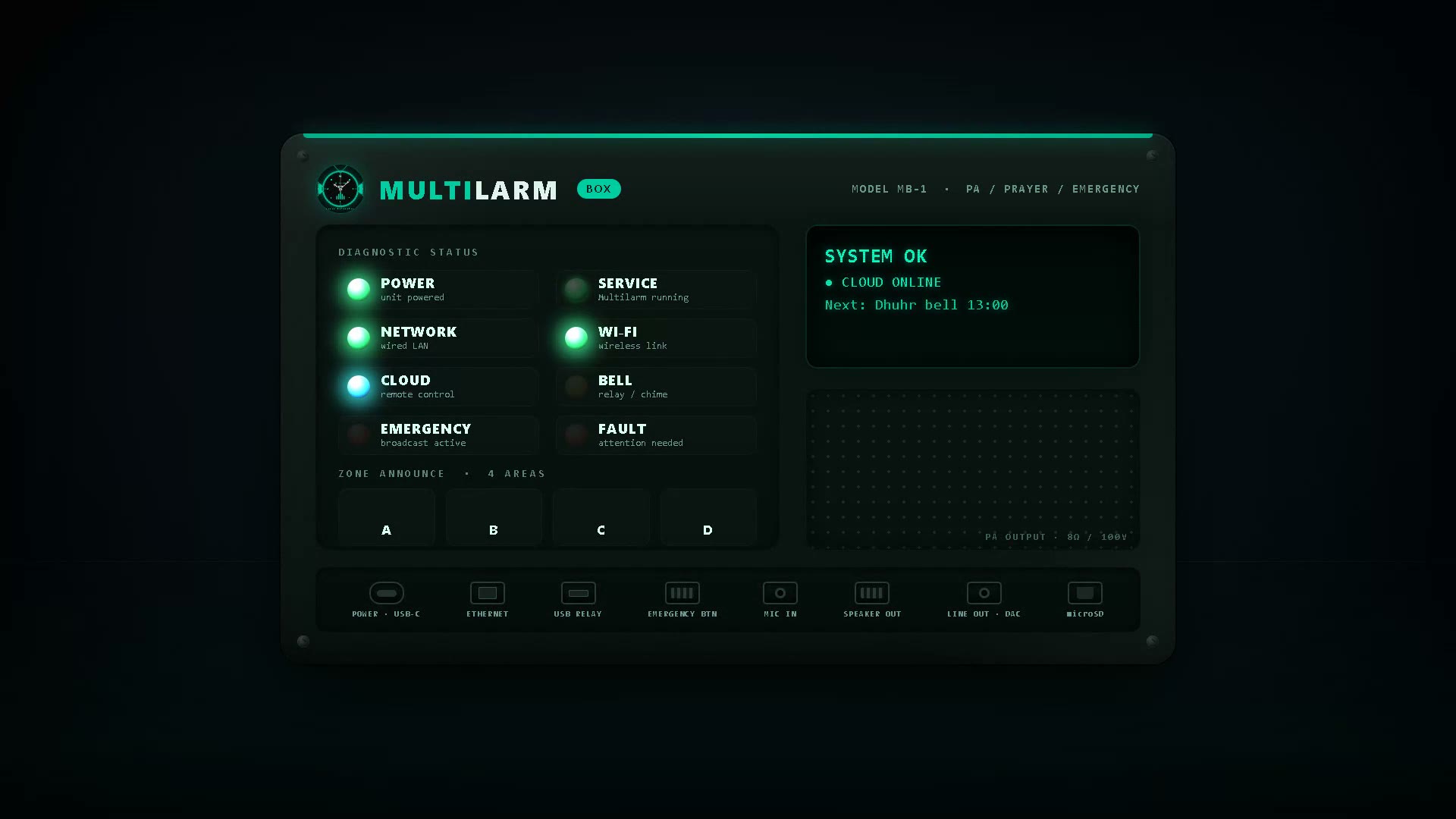
What it does differently
Offline first
No internet required for scheduling. Optional cloud relay is purely additive. Polls every 5 s, exponential backoff, survives extended outages without missing an alarm.
Live PA, not just playback
Push-to-talk from a local mic, the LAN dashboard or your phone over the cloud relay. Sub-second latency, P1 priority interrupt, runs alongside scheduled audio without a separate mixer.
Runs on a Pi
A full institutional PA on a Raspberry Pi. One-command Linux install, systemd at boot, headless. Same single binary scales from a 1-zone mosque to a multi-zone hospital fleet via Hub mode.
Beyond scheduled playback
Multilarm isn’t just a timed media player. The same binary handles live PA, integrates with your facility systems, broadcasts to peers, and produces an audit trail your compliance officer will actually read.
Live PA & Push-to-Talk
Local mic from the console, the LAN dashboard or a browser anywhere via cloud relay. Sub-second latency, P1 priority interrupt, alarms queue automatically while you’re live.
External Trigger API
POST to /api/trigger/fire from any system. Bearer tokens with per-token allowlists, rate limits, cooldowns. Fire alarms from a button, a sensor, a panic key.
MQTT bridge
Subscribe to your existing broker for nurse-call, BMS, fire-panel or facility integration. Publish heartbeat & per-event status back out. TLS, base-topic isolation, JSON payloads.
Outbound webhooks
HTTPS POST on every alarm.fired, ptt.start, device.offline. HMAC-SHA256 signing (GitHub-format), retry with backoff, per-endpoint queue.
Hub fleet mode
Multi-instance fan-out across one site or a regional estate. Discover peers via heartbeat, proxy controls, broadcast voice memos. Promote/step-down at runtime; no central server required.
Operators & alerts
Admin/operator role split, signed audit log per device, email alerts on offline / missed alarm / missing audio. SMTP relay, webhook backup, rising-edge deduplication.
Web tools & cloud
Config Generator
Visual editor for Multilarm.config.xml. Load, edit, validate & save all 97 settings without hand-editing XML — or start from a ready-made preset.
Cloud Dashboard
Control any Multilarm instance from anywhere. HTTPS polling — no port forwarding. Multi-device, live status, full remote control.
Real-world deployments
Ten write-ups: Virtual Muezzin on RPi, school bells, factory shifts, museum narrations, theatre cues, hotel zones & more.
Prayer-Time Widget
Drop a live prayer timetable onto any mosque website with one line of HTML — plus a printable monthly timetable with a QR code. No account, no cost.
Quickstart — one command
Linux / Raspberry Pi
# One-command install
curl -sSLO multilarm.com/multilarm/binaries/multilarminstall.sh
sudo bash multilarminstall.sh
multilarm
Linux setup details →
Link it (optional)
# Device shows a short setup code
multilarm --claim
# Enter it at multilarm.com/setup
How linking works →
Multilarm runs fully offline — linking is only needed if you want to manage the device from anywhere. Either way there is no XML to hand-edit and no token to copy: pick a preset for your kind of site (mosque, school, care home or office), and the setup wizard fills in the rest.
Pick your platform
Windows MSI installerRecommended
All-in-one installer for 64-bit Windows. Installs the binary, miniaudio engine, default config, sample audio and resources. No additional dependencies.
Linux & Raspberry PiRPi-ready
Easiest on a Raspberry Pi: flash the ready-made SD-card image (Multilarm pre-installed, first-boot wizard for Wi-Fi, audio, and linking to the cloud with a short setup code — no token to copy, no XML to edit). Or use the one-command install script on an existing system — it handles dependencies, audio driver setup and a systemd service.
Configurations & presets
Config Generator
Visual editor — build your .config.xml from scratch.
Default config
Reference configuration with UK Sheffield prayer times.
Bangladesh config
Pre-built configuration with Bangladesh prayer times.
Sample apps
Daily, weekly & monthly PA presets demonstrating real-world routines.